Best Wireless Mouse 2026: 5 Everyday and Travel Picks
An everyday wireless mouse does not need a gaming sensor or a sculpted ergonomic shell. It needs to fit your hand, connect reliably to the computers you actually use, stay quiet in a shared room, and keep going for months without you thinking about the battery.
Quick answer
The Logitech MX Anywhere 3S is the wireless mouse to buy if you split time between a desk and a laptop bag: it is small enough to travel, tracks even on glass, has a fast electromagnetic scroll wheel and switches between three devices. The Logitech Signature M650 is the better full-size mouse for one computer at home or in the office, the Pebble Mouse 2 M350s is the cheapest good travel mouse, the Apple Magic Mouse is the pick for Mac users who want gestures, and the Logitech M240 Silent is a quiet, low-cost everyday mouse for smaller hands.
We did not run our own testing on any of these mice. Doing it honestly would mean measuring click noise with a calibrated meter, logging battery life under identical use, and having many people with different hand sizes use each one for weeks — none of which we did. What we did instead: took sensor resolution, connection types, battery ratings, button counts and sizes from Logitech's and Apple's own product pages, compared current prices at major US retailers, and read owner reviews at volume, keeping only complaints that recur across many buyers — Bluetooth dropouts, scroll wheels wearing, awkward charging, cramped shapes — rather than first-day impressions. Battery-life figures and noise-reduction claims are manufacturer specifications, and we say so where they appear.
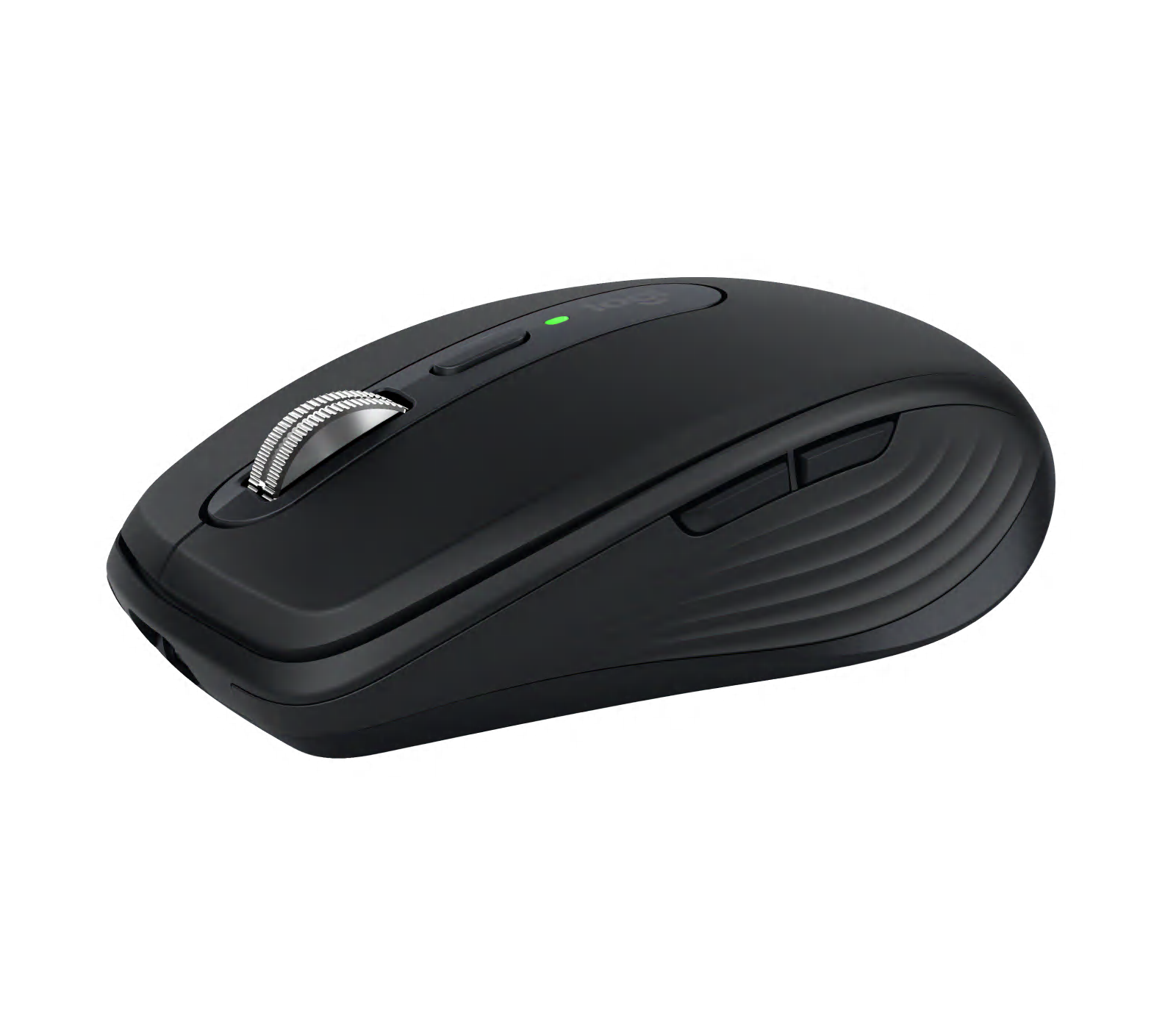
🏆 Best overall: The MX Anywhere 3S is the pick because it is the one mouse here that works as well on the road as on a desk. It is compact, the 8,000 DPI sensor tracks on almost any surface including glass, the MagSpeed electromagnetic wheel can spin freely through long documents, and the clicks are quiet.
Top picks ↓| Product | Price | Link |
|---|---|---|
| $70〜$80Reference price | ||
| $30〜$40Reference price | ||
| $20〜$30Reference price | ||
| $79〜$99Reference price | ||
| $18〜$30Reference price |
Top picks
Related articles

Available in several colours; a Logi Bolt USB receiver can be added separately if your computer needs one.
The MX Anywhere 3S is the pick because it is the one mouse here that works as well on the road as on a desk. It is compact, the 8,000 DPI sensor tracks on almost any surface including glass, the MagSpeed electromagnetic wheel can spin freely through long documents, and the clicks are quiet. It pairs with three devices over Bluetooth, and Logitech rates it at up to 70 days per USB-C charge. The complaints are its price, the lack of an included USB receiver, and a shape that owners with large hands find small for all-day use.
Pros
- ✓Tracks on glass and most surfaces
- ✓Fast MagSpeed scroll wheel
- ✓Switches between three devices
Cons
- ✗USB receiver sold separately
- ✗Small for large hands
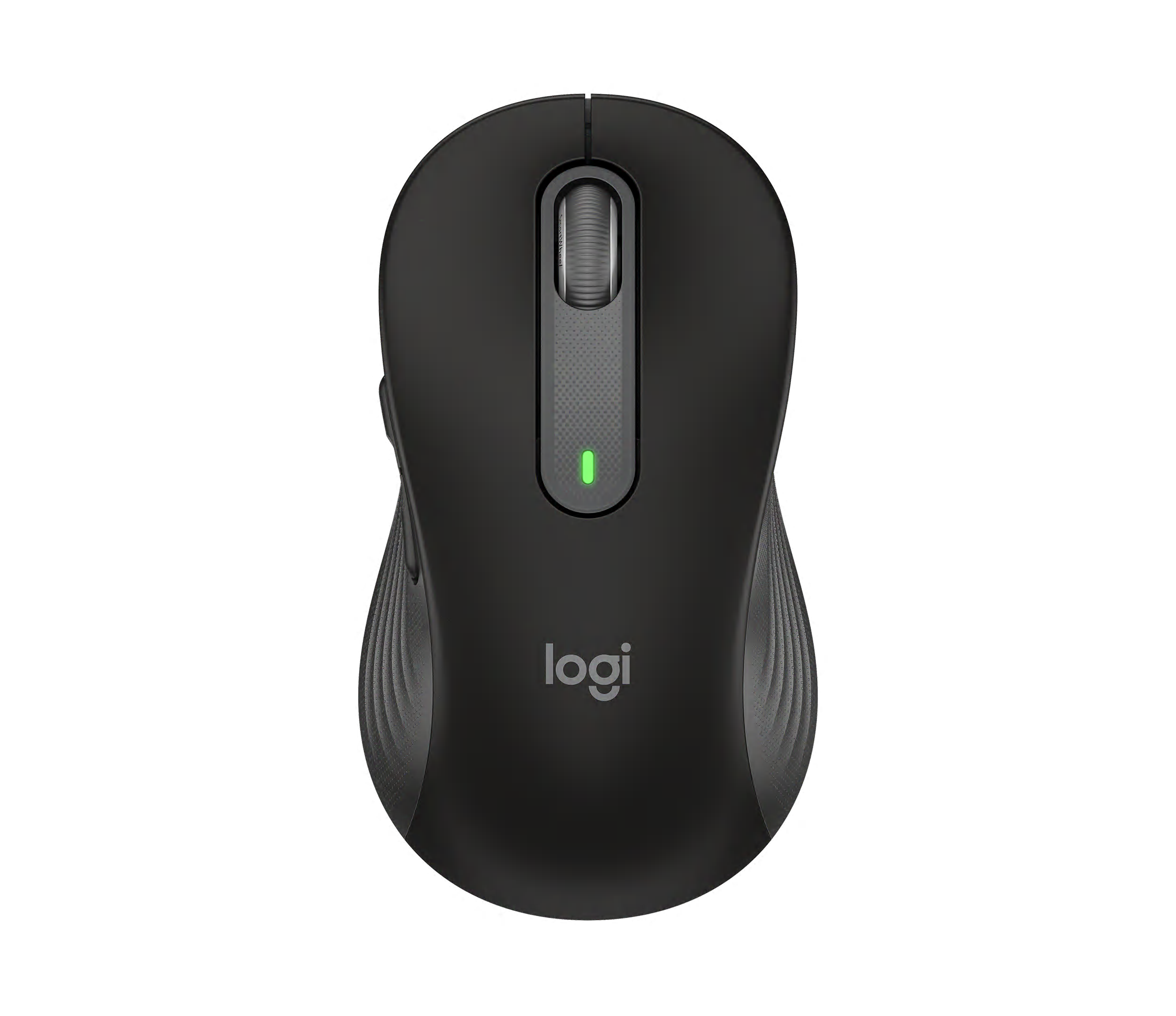
Check the size on the listing: M suits small to medium hands, L suits larger hands, and there is a left-handed L version.
The Signature M650 is the everyday desk mouse to buy. It comes in M and L sizes (plus a left-handed L), fills the palm properly, and has two side buttons for back and forward. The SmartWheel switches between line-by-line and fast scrolling, the clicks are silent, and it connects either through the included Logi Bolt receiver or Bluetooth. Logitech rates it at up to 24 months on one AA battery. The limitation is that it connects to one device at a time, so it is not the mouse for switching between two computers.
Pros
- ✓Comfortable full-size shape in two sizes
- ✓Logi Bolt receiver included
- ✓Up to 24 months on one AA battery
Cons
- ✗No multi-device switching
- ✗Too large for a small laptop bag pocket
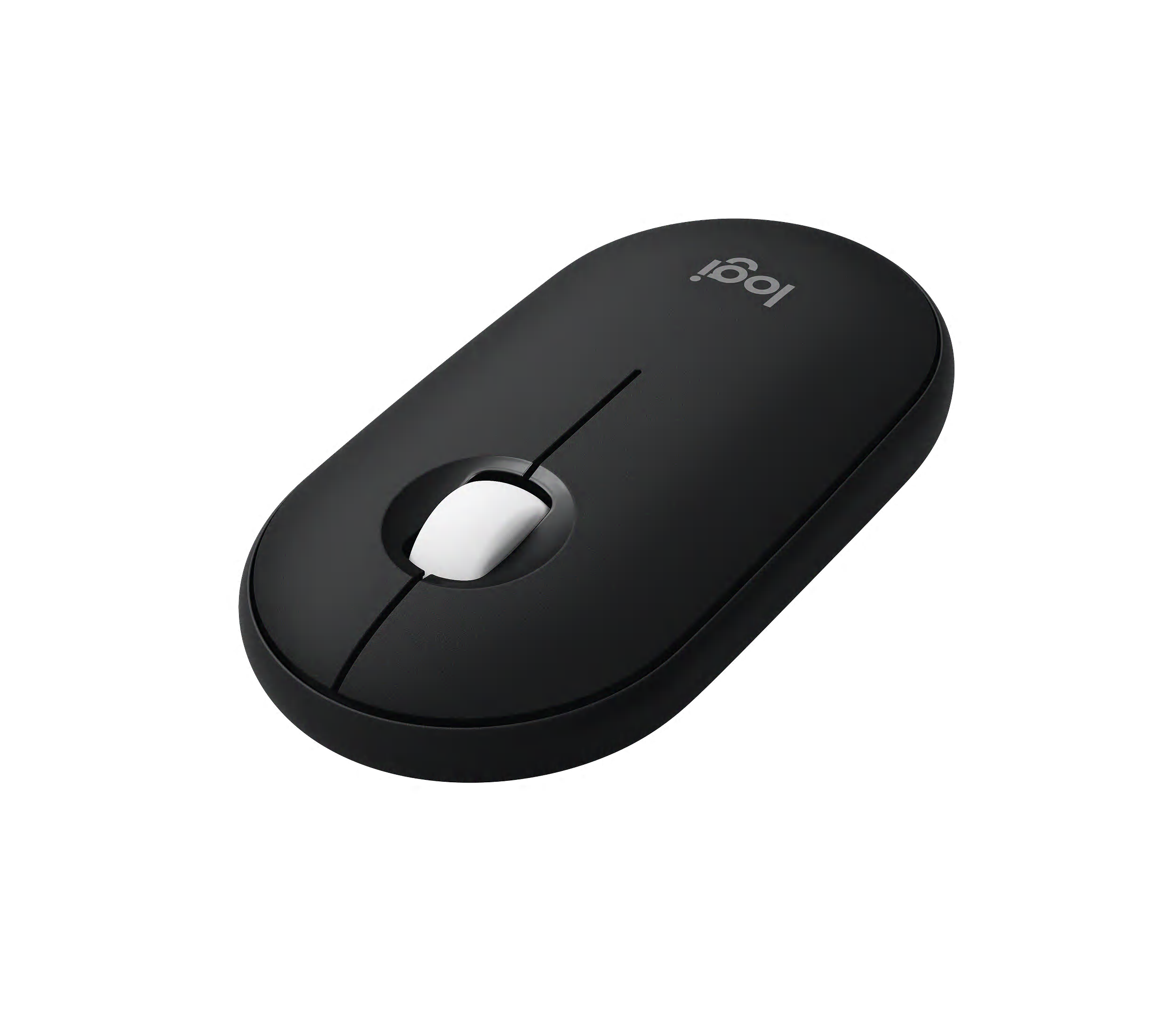
Often sold together with the matching Pebble Keys 2 keyboard; the combo is usually cheaper than buying both separately.
The Pebble Mouse 2 M350s is the cheapest mouse here worth carrying every day. It is flat and light enough to slip into a pocket, the clicks are silent, it remembers three Bluetooth devices, and the middle button can be reassigned in Logitech's app. Logitech rates it at up to 24 months on one AA battery. The flat shape is its weakness: there are no side buttons, and owners often find it tiring for a full day of work.
Pros
- ✓Very slim and light
- ✓Three-device switching at a low price
- ✓Silent clicks
Cons
- ✗Flat shape is tiring for long sessions
- ✗No side buttons
Subscribe to our newsletter
Occasional updates and new releases — no spam.

Sold in white and in a higher-priced black version; the USB-C model is the current one, so avoid older Lightning stock.
The Magic Mouse is the choice for Mac users who rely on gestures. Its whole top surface is Multi-Touch, so you can scroll in any direction and swipe between pages and full-screen apps with a finger, and it pairs instantly with a Mac. The current model charges over USB-C. Two complaints appear in almost every batch of owner reviews: the very low profile is uncomfortable for some hands, and the charging port is underneath, so the mouse cannot be used while it charges.
Pros
- ✓Multi-Touch gestures on macOS
- ✓Seamless pairing with a Mac
- ✓Rechargeable over USB-C
Cons
- ✗Cannot be used while charging
- ✗Low profile is uncomfortable for some
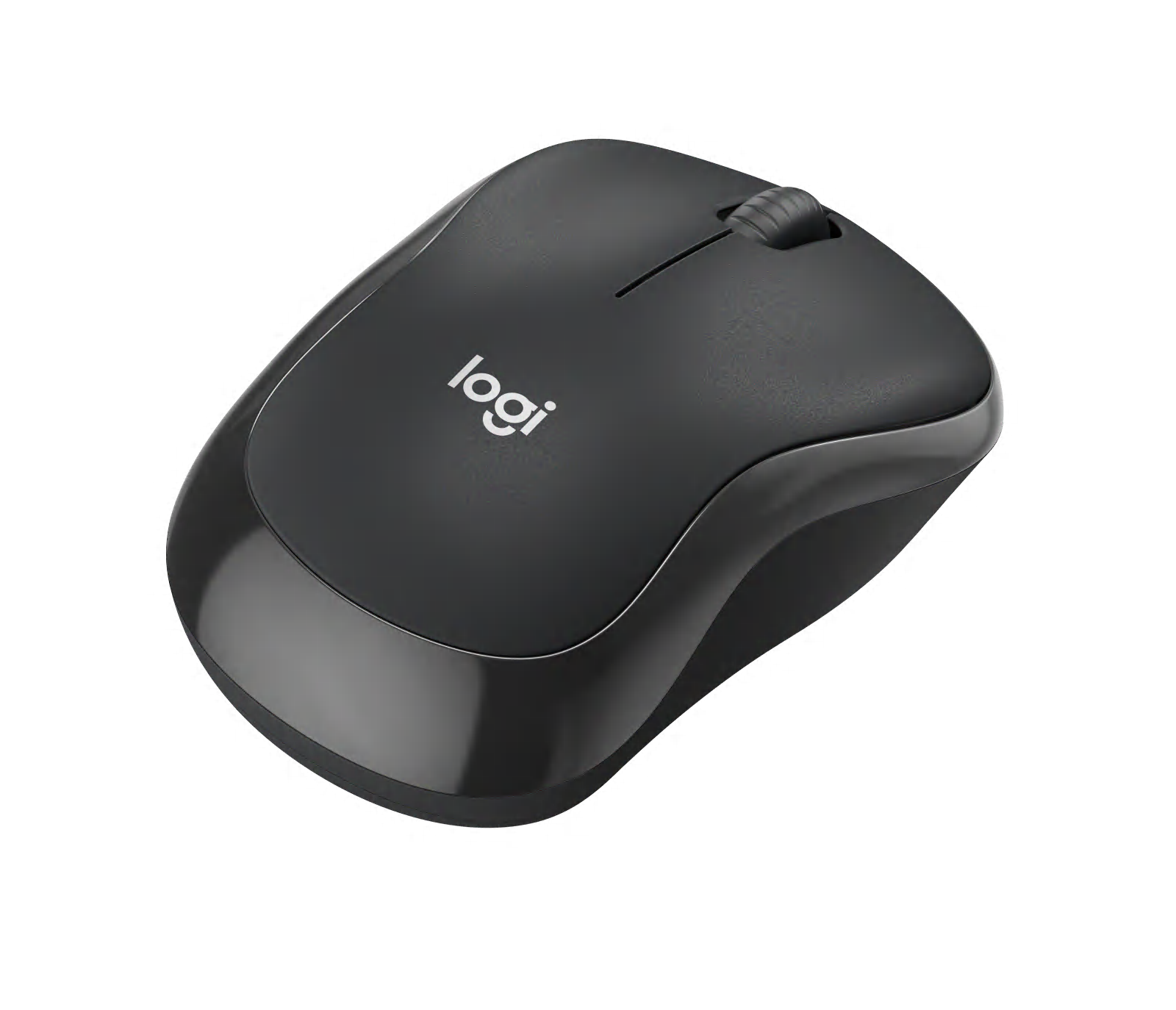
Logitech M240 Silent Bluetooth Mouse
A business version with a Logi Bolt receiver is sold separately; the standard M240 is Bluetooth only.
The M240 Silent is a simple, inexpensive Bluetooth mouse that does the basics well. It has a contoured, ambidextrous shape that suits small and medium hands better than the flat Pebble, silent clicks, and Logitech rates it at up to 18 months on one AA battery. It connects over Bluetooth only and to one device at a time, and it has no side buttons, so it is best as a quiet mouse for a home laptop or a second computer rather than a main work tool.
Pros
- ✓Low price
- ✓More rounded grip than a flat travel mouse
- ✓Silent clicks
Cons
- ✗Bluetooth only, one device at a time
- ✗No side buttons
Size first: travel mouse or full-size mouse
The biggest difference between these five is not the sensor, it is the shape. Compact mice like the MX Anywhere 3S, Pebble Mouse 2 and M240 are designed to slide into a laptop sleeve; you hold them with your fingertips rather than resting your palm on them. That is fine for a few hours at a café table and tiring for a full working day if you have large hands.
A full-size mouse such as the Signature M650 fills the palm and is more comfortable for long sessions, and it comes in M and L sizes. If this mouse will live on one desk, choose full-size; if it moves between home, office and travel, choose compact and accept that it is a little less comfortable. People who already have wrist or hand discomfort should look at a dedicated ergonomic mouse instead — none of these five is designed for that.
Bluetooth or USB receiver: which connection to trust
Bluetooth mice need no USB port and pair directly with laptops, tablets and phones, which is why most travel mice are Bluetooth only. The trade-off is that Bluetooth can lag briefly on wake-up and is more likely to drop out near crowded Wi-Fi, a complaint that appears for every brand in owner reviews.
A USB receiver gives a steadier link and works before the operating system loads, which matters for office desktops and some company-managed laptops that restrict Bluetooth. The Signature M650 includes Logitech's Logi Bolt receiver and also supports Bluetooth. The MX Anywhere 3S works with a Bolt receiver, but it is sold separately. The Pebble Mouse 2, M240 and Magic Mouse are Bluetooth only.
Batteries versus recharging, and quiet clicks
A mouse that runs on one AA battery is the least work to own: Logitech rates the Signature M650 and Pebble Mouse 2 at up to 24 months and the M240 at up to 18 months, so you will change the battery about once a year or less. Rechargeable mice avoid batteries entirely but need charging every few weeks. Logitech rates the MX Anywhere 3S at up to 70 days per charge with quick charging over USB-C.
The Magic Mouse is the special case: its charging port is on the underside, so it cannot be used while it charges. Plan to charge it overnight. On noise, every Logitech mouse here has silent clicks, which make a soft thud instead of a click and are welcome in shared offices and on video calls. The Magic Mouse has a normal click.
Multi-device switching and common mistakes
If you use one mouse with a work laptop and a personal computer, look for multi-device switching. The MX Anywhere 3S and Pebble Mouse 2 remember three devices and switch with a button. The Signature M650 and M240 connect to one device at a time, and the Magic Mouse is really designed for one Mac.
The most common buying mistake is choosing a mouse for its looks and then finding it too small for the hand. Measure your hand from the wrist crease to the tip of the middle finger: above about 19 cm, a compact mouse is likely to feel cramped for long use. The second mistake is assuming Mac gestures work everywhere; the Magic Mouse's swipe and scroll gestures are designed around macOS and are limited on other systems.
Frequently asked questions
Do these mice work on both Windows and Mac?▼
Will a wireless mouse work on a glass desk?▼
Is a wireless mouse fine for gaming?▼
How long do wireless mice last?▼
Prices change. Check the retailer for the current price.
Comments & questions
Discussion happens on nattzy, our community forum. Sign in with Google to post — it takes a second.
Still deciding? Ask the community your own question — Post a question on nattzy ↗
Related articles

Best Wireless Keyboards 2026: Logitech vs Apple vs Keychron

Best VPN 2026: 5 compared
Best LED Face Masks 2026: 3 Light Therapy Devices Compared
Best Robot Vacuums 2026: 5 Models Compared Honestly
Best Hair Dryers 2026: 5 high-end models compared honestly
Food
Best Rice Cookers 2026: 5 Top Models Compared
Best Rice Cookers 2026: 5 Top Models Compared