Best Video Editing Software 2026: 5 Editors Compared
Most people who give up on video editing do not lack talent; they picked software built for a different job. A free Hollywood-grade suite can feel like a cockpit on day one, and a template-driven app can feel cramped by the tenth project.
Quick answer
For most beginners and intermediate editors, Wondershare Filmora is the one to start with: a drag-and-drop timeline, a large built-in library of effects and music, and AI tools, on Windows and Mac from US$49.99 a year (official price, October 2026). If you would rather pay nothing, DaVinci Resolve is the most capable free editor here, with a US$295 one-time Studio upgrade. Adobe Premiere (formerly Premiere Pro) is the choice if you plan to work professionally or already use Creative Cloud; CyberLink PowerDirector 365 is the low-cost subscription packed with stock media; and Final Cut Pro is the natural step up for Mac users, as a US$299.99 one-time purchase or part of Apple Creator Studio.
We did not run our own testing of these editors. A fair comparison would mean editing the same projects on the same computers and timing exports, none of which we did. Instead, this is a desk comparison: features, system requirements, licence terms and prices come from each developer's official pages (prices checked in October 2026, in US dollars); we also drew on independent reviews and on complaints that recur across many user reviews — learning curve, performance on modest hardware, upsells and subscription terms — rather than one-off impressions. Feature lists and performance claims are the developers' own.

🏆 Best for beginners: Filmora is the pick for most people starting out because it keeps the basics simple without capping you early: a magnetic timeline, keyframes, multi-camera editing, motion and planar tracking, and colour tools including 3D LUTs sit alongside auto captions and templates. Wondershare lists over 2.9 million creative assets, and one Basic or Advanced subscription runs on both Windows and Mac.
Top picks ↓| Product | Price | Link |
|---|---|---|
| $49.99〜$129.99Reference price | ||
| $0〜$295Reference price | ||
| — | ||
| $59.99〜$79.99Reference price | ||
| $129〜$299.99Reference price |
Top picks
Related articles
Basic and Advanced are annual subscriptions valid on Windows and Mac; the perpetual licence works on one platform only and covers updates within the current major version.
Filmora is the pick for most people starting out because it keeps the basics simple without capping you early: a magnetic timeline, keyframes, multi-camera editing, motion and planar tracking, and colour tools including 3D LUTs sit alongside auto captions and templates. Wondershare lists over 2.9 million creative assets, and one Basic or Advanced subscription runs on both Windows and Mac. It suits YouTubers, small businesses and families who want polished results quickly. The trade-offs: many AI tools draw on credits (none are included with Basic), the full asset library requires a subscription, the perpetual licence stops at the current major version, and the free version watermarks exports.
Pros
- ✓Easy drag-and-drop timeline with room to grow
- ✓Large built-in library of effects, titles and music
- ✓One subscription covers Windows and Mac
Cons
- ✗Many AI tools use paid credits
- ✗Free version adds a watermark
Download the free version from Blackmagic Design first; upgrade to the US$295 Studio licence only if you need its extra features.
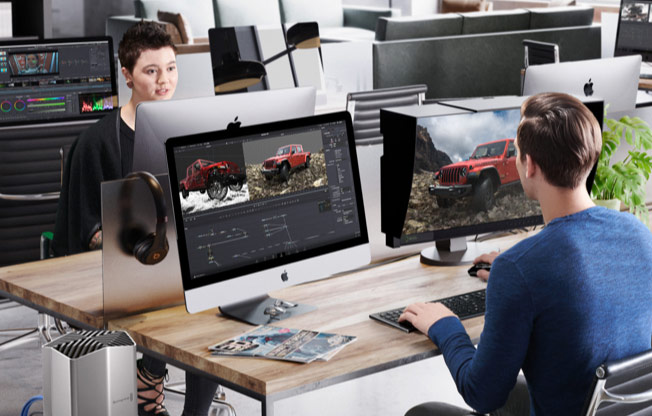
DaVinci Resolve is the most capable free editor here: the free version combines editing, colour grading, Fusion visual effects and Fairlight audio, and edits up to Ultra HD at 60 fps. Its Cut page offers a simpler layout for quick projects, and the Studio licence (US$295 one-time) adds 32K and 120 fps support, multi-GPU acceleration, Neural Engine tools such as Magic Mask and voice isolation, and more than 45 extra effects. It suits anyone on a tight budget who wants to learn professional techniques, on Windows, Mac or Linux. The trade-offs are a steep learning curve, a heavy appetite for GPU power, and far fewer ready-made templates and stock assets than consumer editors.
Pros
- ✓Full-featured free version
- ✓Professional colour grading and audio in one app
- ✓One-time Studio upgrade, no subscription
Cons
- ✗Steep learning curve for beginners
- ✗Demanding on older hardware

Available with an annual or monthly commitment; a 7-day free trial is offered, and the Creative Cloud Pro plan adds 20+ other apps.
Adobe Premiere, renamed from Premiere Pro, is the industry-standard choice if you plan to edit professionally or already use Creative Cloud. The plan includes the desktop and iPhone apps, 100GB of cloud storage, a monthly generative-credit allowance, Frame.io review tools and the Adobe Express Premium plan, and the Creative Cloud Pro bundle adds After Effects, Photoshop and more. More tutorials and job listings assume Premiere than any other editor. The downsides are that it is sold only as a subscription, it is harder to learn than Filmora or PowerDirector, and the cost adds up over the years.
Pros
- ✓Industry-standard workflow
- ✓Works closely with other Adobe apps
- ✓Huge ecosystem of tutorials and plug-ins
Cons
- ✗Subscription only
- ✗More complex than beginner editors
Subscribe to our newsletter
Occasional updates and new releases — no spam.

Windows and Mac subscriptions are separate purchases; the one-time PowerDirector 2027 licence (US$139.99) has no monthly updates.
PowerDirector 365 packs the most into a low annual price: at US$59.99 a year (discounted from the US$79.99 list price in October 2026) you get monthly feature and content updates, 100 generative-AI credits a month, 50GB of cloud storage and a stock library of millions of videos, photos and music tracks from Getty Images and Meta. The template-driven interface is approachable for people coming from simpler apps. The catches are that one subscription covers only Windows or only Mac, the free version restricts advanced AI tools and some export options, and users often complain about frequent upgrade prompts.
Pros
- ✓Low annual price for the features
- ✓Millions of stock assets included
- ✓New features added monthly
Cons
- ✗Subscription covers one platform only
- ✗Frequent upsell prompts
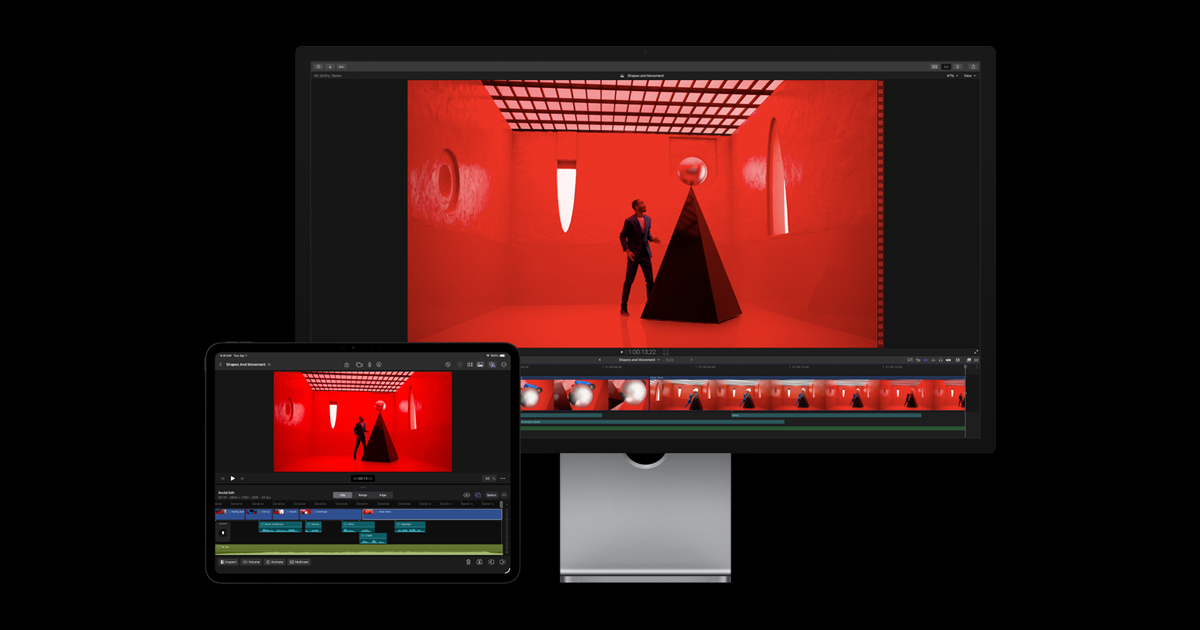
Buy the one-time version on the Mac App Store, or choose Apple Creator Studio if you also want the iPad version and the bundled apps.
Final Cut Pro is the natural next step for Mac users outgrowing iMovie: iMovie projects from Mac, iPad or iPhone import directly, and tools such as Magnetic Mask, 3D titles and automatic reframing for social formats are built in. Apple sells it as a one-time US$299.99 Mac purchase, or inside the Apple Creator Studio subscription (US$12.99 a month or US$129 a year, with a 30-day free trial) together with the iPad version, Motion, Compressor, Logic Pro and Pixelmator Pro. It suits Mac owners who want pro-level tools without being forced into a subscription. Its limits are no Windows version, a high up-front price for the one-time licence, and some features that require a Mac with Apple silicon.
Pros
- ✓One-time purchase option available
- ✓Easy step up from iMovie
- ✓Also included in Apple Creator Studio
Cons
- ✗Apple devices only
- ✗High up-front price
Ease of use or headroom: decide how far you want to go
Consumer editors such as Filmora and PowerDirector are built around a single timeline, drag-and-drop effects, templates and one-click AI helpers like auto captions and silence detection. You can finish a first YouTube video or family montage in an evening. Professional editors such as DaVinci Resolve and Premiere expose far more control — colour grading, audio mixing, visual effects, detailed export settings — but the extra panels and terminology are exactly what new users stumble over.
Ask how far you realistically want to go. If the goal is social clips, travel videos and tutorials, an easy editor gets you there faster and you may never outgrow it. If you want to edit for clients, work in a studio or learn professional colour grading, starting on Resolve or Premiere saves relearning later. Final Cut Pro sits between the two on the Mac: approachable for iMovie users, yet capable of professional work.
Subscription, one-time purchase or free: the real cost over time
Pricing models differ more than the headline numbers. Premiere is subscription only. PowerDirector 365 and Filmora's Basic and Advanced plans are annual subscriptions, though Wondershare and CyberLink also sell perpetual licences (Filmora from US$79.99, PowerDirector 2027 at US$139.99). DaVinci Resolve is free, with a one-time US$295 Studio licence, and Final Cut Pro is a one-time US$299.99 Mac purchase or part of the Apple Creator Studio subscription at US$12.99 a month or US$129 a year.
Read what a perpetual licence covers. Filmora's perpetual plan includes updates within the current major version but not upgrades to the next one, and it is tied to either Windows or Mac, while its subscriptions cover both. Many advertised prices are also introductory discounts, and subscriptions renew automatically, so check the renewal price before you pay.
AI features and credits: what is actually included
Every editor here now advertises AI tools, but they fall into two groups. Assistive features — auto captions, scene detection, background removal, audio clean-up, auto reframe — are mostly part of the licence. Generative features — text-to-video, AI music, image generation, voice cloning — run in the cloud and usually spend credits.
Filmora labels many of its AI tools "Paid by AI Credits": the Advanced plan includes 1,000 credits a month, the perpetual licence comes with a one-time 1,000, and Basic includes none. PowerDirector 365 issues 100 credits a month, and Premiere's plan includes a monthly allowance of Adobe's generative credits. DaVinci Resolve Studio's Neural Engine tools, such as Magic Mask and voice isolation, come with the one-time licence. If AI generation matters to you, compare credit allowances, not just feature lists.
Platform and hardware: check before you commit
Final Cut Pro runs only on Apple hardware (Mac, plus iPad through the subscription), and Apple lists macOS 15.6 or later with 8GB of memory, 16GB recommended. DaVinci Resolve runs on Windows, Mac and Linux. Filmora, PowerDirector and Premiere run on Windows and Mac, but a PowerDirector 365 subscription covers one platform only, and Filmora's perpetual licence is platform-specific.
Hardware matters more than most beginners expect. 4K footage, heavy effects and colour grading lean on the graphics processor, and users often describe DaVinci Resolve as demanding on older laptops. Every editor here has a free version or trial, so the cheapest safeguard is to edit a short project with your own footage on your own computer before paying.
Frequently asked questions
What is the easiest video editing software for beginners?▼
Is DaVinci Resolve really free?▼
Does the free version of Filmora add a watermark?▼
Should I choose a subscription or a one-time purchase?▼
Can I use Final Cut Pro on Windows?▼
Prices change. Check the retailer for the current price.
Comments & questions
Discussion happens on nattzy, our community forum. Sign in with Google to post — it takes a second.
Still deciding? Ask the community your own question — Post a question on nattzy ↗
Related articles





Rather hire someone?
Opens Fiverr, a freelance marketplace. Prices and delivery times are set by each freelancer.